
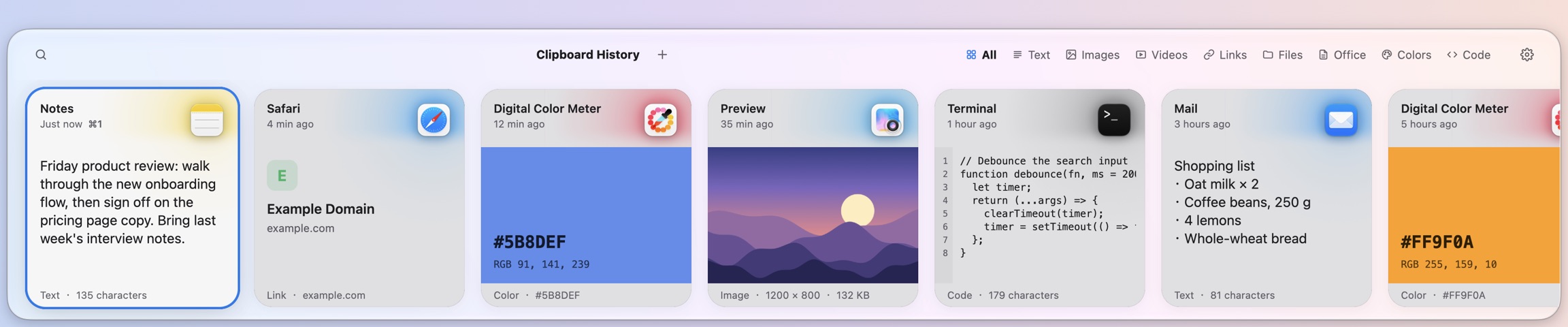
Everything you've copied, one keystroke away.
A clipboard manager for Mac. Text, links, images and files are kept automatically as you copy them. Press ⇧⌘V to bring up the panel from the bottom of the screen, then Return to paste straight back into the app you're using.
macOS 11 or later, Universal for Apple silicon and Intel
Copy once. Use it whenever.
Your history stays on your Mac. Bring up the panel, pick a clip, press Return — three steps to paste back into the app you were in.
Every copy, kept automatically
Text, rich text, code, links, colors, images and files are all recorded, and duplicates are kept only once. Screenshots go under Images, videos under Videos, and Office and iWork files under Documents.
⇧⌘V to open, Return to paste
The panel slides up from the bottom of the screen without taking focus from the app you're in. ←/→ to select, Return to paste, ⇧Return to paste as plain text, ⌘1–9 to paste that card directly.
Just start typing to search
Once the panel is open, type to search. Advanced search supports AND, OR, NOT and wildcards, and you can filter by type and file extension with terms like /@img and /@pdf.
Press Space to preview
Edit text before saving or pasting it. Pinch to zoom images up to 8× and drag to pan. Markdown is shown rendered by default; ⌘/ switches to the source.
Pinboards
Collect the things you use often in color-coded pinboards; ⌘S adds a clip. The top of the panel groups clips by type: ⌃1–9 switches groups, and ⌃⌥1–9 switches between History and your pinboards.
Links with an image and a title
Link cards show the page's image, title and site icon. Only public web pages are fetched — never local network addresses or links carrying secret parameters — and you can turn the whole feature off in Settings.
What shouldn't be kept, isn't
Nothing is recorded from ignored apps such as password managers, or from content other apps mark as concealed or transient. How long history is kept and which apps are ignored are both set in Settings.
Seven interface languages
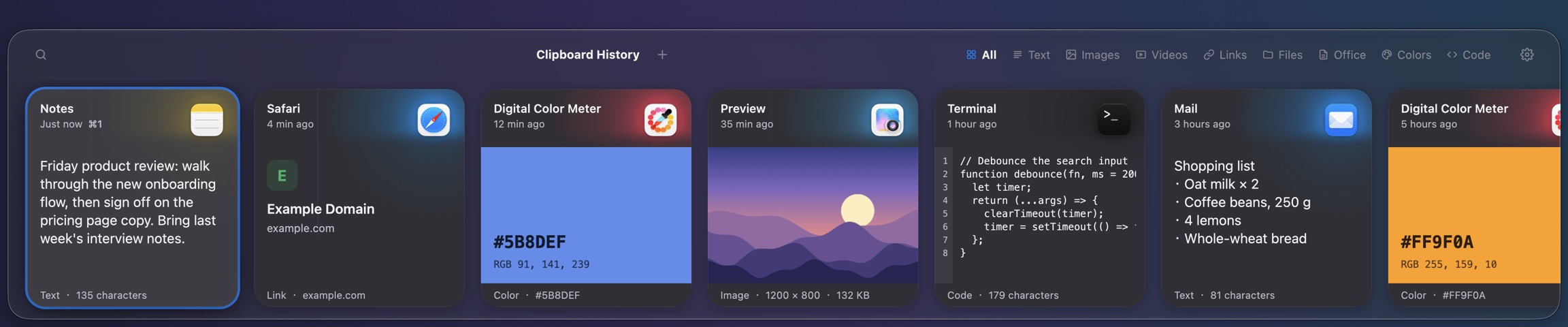
English, 简体中文, 繁體中文, 日本語, Русский, Français and Español, following your system language by default. Choose between the Modern and Classic styles, and follow the system's light or dark appearance.
One price. Every feature.
Price per license, all features included
- The number of Macs per license depends on the plan you choose; seats are counted per license
- When you switch computers, the new one takes over from the Mac you've used least recently
- Works without an internet connection
- Activates automatically after payment — nothing to type in
Pay by credit card, Alipay and other methods — choose one at checkout. No payment details needed for the trial, and you can ask for a full refund within 14 days of buying.
Frequently asked questions
- Which systems are supported?
- macOS 11 Big Sur or later, on both Apple silicon and Intel Macs; macOS 13 or later is recommended. From macOS 26 the panel uses the Liquid Glass material, and earlier systems use the standard frosted-glass material. “Launch at login” can't be set on macOS 11 and 12.
- Why does it need Accessibility permission?
- To paste straight back into the app you were using when you press Return, Reel has to be allowed under System Settings › Privacy & Security › Accessibility.
- Where is my history stored?
- On this Mac, in ~/Library/Application Support/Reel. You can change how long it's kept under Settings › History.
- Will passwords I copy be recorded?
- Nothing is recorded from ignored apps such as password managers, or from content other apps mark as concealed or transient. You can add more apps to ignore under Settings › Privacy.
- Do link previews use the network?
- Yes. To show an image and title, Reel fetches public web pages, so the site will know the link was visited. Local network addresses and links carrying secret parameters are not fetched. You can turn this off under Settings › Privacy › Link previews; the existing cache is deleted when you do.
- Pasting stopped working after an update. What now?
- With the DMG version, Accessibility permission has to be granted again after each update. Run tccutil reset Accessibility com.redPeak5421.reel in Terminal, then click Grant Access again in Reel's settings.
- Which payment methods can I use?
- Pay by credit card, Alipay and other methods — choose one at checkout.
Download Reel and try it for 14 days.
The trial is fully featured, with no sign-up.